Let’s be honest: how many times has your grand fitness plan ended up as a forgotten sticky note on the fridge, a vague reminder lost in your phone’s calendar, or a burst of motivation that fizzled out by Wednesday? You have the desire, the ambition, and even the gym shoes ready to go. But in the chaos of daily life, consistency becomes the real challenge. The irony of our modern world is that the same device often blamed for our distraction—our smartphone—can become our most powerful ally in forging an unbreakable routine. The secret lies in using apps to organize your fitness schedule with intention.
This guide isn’t just a list of popular apps. It’s a strategic manual for transforming your phone from a source of distraction into a command center for your health. We’ll explore how to choose the right tools for your specific goals, build a bulletproof weekly plan, and use technology to create the structure you need to finally unplug and focus on what matters: moving your body and achieving your goals. It’s time to embrace digital discipline.
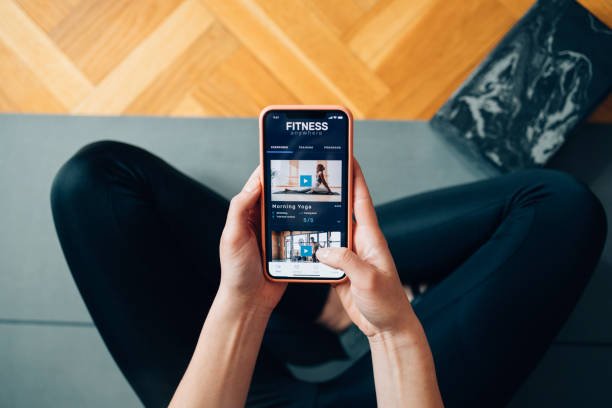
Table of Contents
Why Your Smartphone is Your Best Personal Trainer
Before we dive into the “what,” let’s establish the “why.” It might seem counterintuitive for a site called Unplugged Routine to advocate for using an app, but it’s all about using technology as a tool, not as a distraction. When used correctly, a fitness scheduling app can:
- Eliminate Decision Fatigue: One of the biggest hurdles to working out is deciding what to do. A well-organized app has your workout planned in advance, so all you have to do is show up and follow the instructions.
- Build Unshakeable Accountability: An appointment on your calendar is an appointment with yourself. When your workout is scheduled with the same importance as a work meeting, you are psychologically less likely to skip it. Push notifications, when used wisely, serve as your digital accountability partner.
- Provide Data-Driven Motivation: Progress is the ultimate motivator. Seeing your run times get faster, your weight lifting numbers increase, or your streak of completed workouts grow provides tangible proof that your hard work is paying off.
- Offer Flexibility and Adaptability: Life happens. A good app allows you to easily drag and drop a workout to another day without losing your entire plan, ensuring your routine is resilient and adaptable to your life.
The Core Features to Look For in a Fitness Scheduling App
Not all apps are created equal. To find the one that will truly serve you, look for a combination of these core features:
- Intuitive Calendar & Scheduling: The app’s primary function should be a clear, easy-to-use calendar. You should be able to schedule workouts, set them as recurring, and view your week or month at a glance. Integration with your main calendar (like Google Calendar or iCal) is a huge bonus.
- Customizable Workout Planning: A great app allows you to build and save your own workout templates. You should be able to input exercises, sets, reps, weights, and rest times. Pre-loaded exercise libraries with instructions and videos are essential for variety and proper form.
- Robust Progress Tracking: Look for features that let you log your performance for each exercise. Advanced apps will chart your progress over time, showing your increasing strength, endurance, and consistency.
- Smart Reminders & Notifications: The app should allow you to customize reminders. You want a notification 30 minutes before your workout, not a constant stream of distracting alerts. The power is in the customization.
- Community & Social Integration (Optional but Powerful): For many, sharing progress with friends or a community provides an extra layer of motivation. Apps like Strava have built their entire platform on this concept.
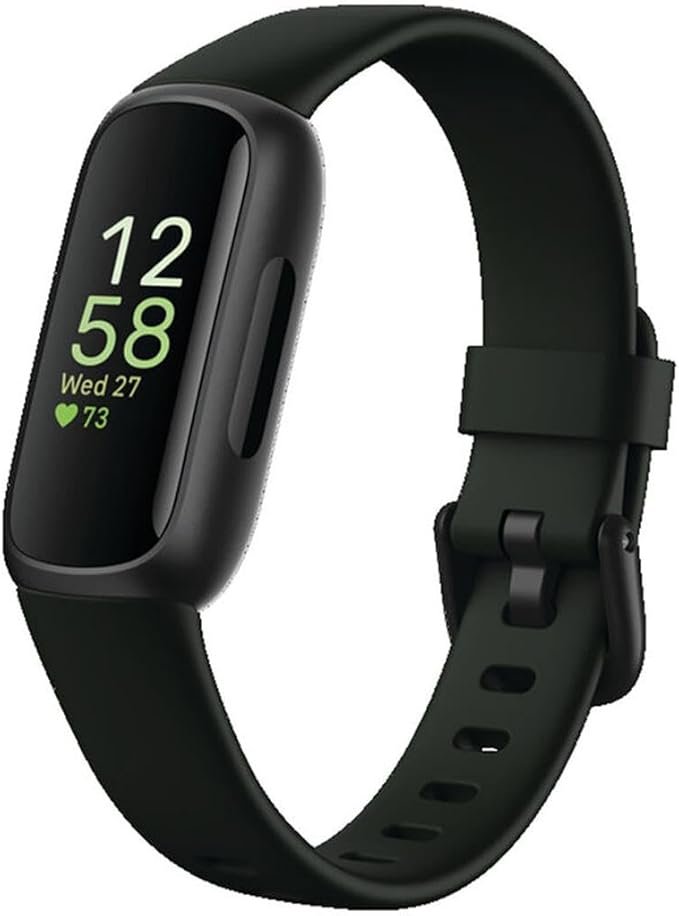
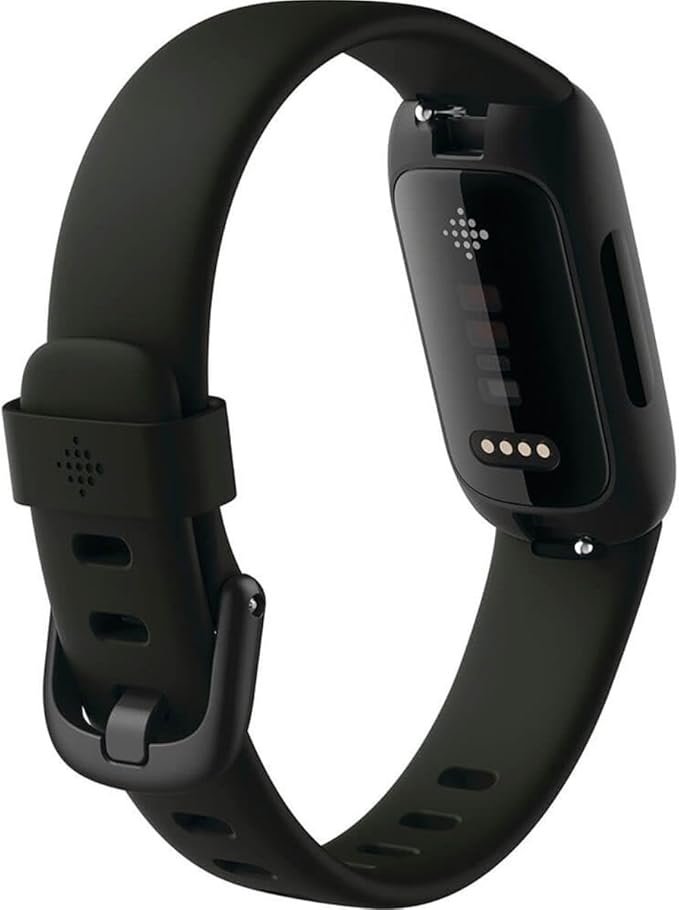
🛒 Unplugged Recommendation: To truly automate your progress tracking and get the richest data without manual entry, nothing beats a wearable fitness tracker like a Fitbit or Amazfit. It syncs seamlessly with many of the apps mentioned, automatically logging your workouts, heart rate zones, sleep quality, and daily activity. This provides the raw, objective data you need to see what’s working and where you can improve.
The Top Tiers: A Breakdown of the Best Apps to Organize Your Fitness Schedule
Your ideal app depends on your personality and goals. Are you a meticulous planner who loves spreadsheets, or do you need a guided class to get you moving? Here’s a breakdown of the best apps, categorized by user type.
Category A: The All-in-One Life Planners
For those who want to integrate fitness into their overall life schedule.
- Todoist/Things 3: These are world-class task managers, not fitness apps, but their scheduling power is immense. You can create a recurring “project” for your fitness, with workouts as daily tasks. You can add details for each workout in the notes and set reminders.
- Best for: The hyper-organized person who wants one app to rule their entire life, from work projects to leg day.
- Google Calendar: The simplest tool is often the most effective. Schedule your workouts as non-negotiable “events.” Use the description to detail your routine for the day.
- Best for: The minimalist who wants a free, no-fuss way to block out time and build a routine.
Category B: The Workout Loggers with Scheduling
For the data-driven individual who loves tracking every rep and set.
- Jefit: A powerhouse for strength training. It has an extensive exercise library with animations, allows you to build highly detailed workout plans, and its standout feature is its progress tracking. You can see beautiful charts of your lifting progress over time.
- Best for: Intermediate to advanced weightlifters who are serious about progressive overload.
- StrongLifts 5×5 / Starting Strength: These apps are dedicated to specific, proven strength programs. They tell you exactly what to lift each day, how much weight to use, and when to rest, automatically scheduling your progression.
- Best for: Beginners in strength training who want a proven, no-guesswork plan to follow.
Category C: The Guided Workout & Class Schedulers
For those who need motivation, instruction, and variety.
- Nike Training Club (NTC): Offers a massive library of high-quality, free guided workouts from yoga to HIIT to strength training. You can choose a multi-week program that automatically populates your schedule based on how many days you want to train.
- Best for: Anyone looking for high-quality, free guided workouts and structured programs.
- Peloton Digital App: You don’t need the bike or tread. The app itself provides access to thousands of live and on-demand classes across dozens of categories. You can “stack” classes to create your perfect workout and schedule them in advance.
- Best for: The person who loves the energy of group fitness classes and needs high-energy instructors to stay motivated.
Category D: The Social Fitness Schedulers
For those who thrive on community, competition, and shared goals.
- Strava: While primarily known as a GPS tracker for running and cycling, Strava’s power lies in its social features. You can set personal goals, follow your friends’ training plans, and join challenges, creating a powerful sense of community accountability.
- Best for: Runners, cyclists, and swimmers who are motivated by social connection and friendly competition.
Step-by-Step: Building Your Perfect Weekly Schedule in an App
- Define Your Goal for the Week: Is your goal to hit the gym 3 times? Get in 10,000 steps a day? Run 15 miles total? Start with a clear, achievable objective.
- Choose Your App: Based on the categories above, select the app that best fits your personality and goals.
- Block Out Your “Non-Negotiables”: Open the app’s calendar. Before anything else, schedule your workouts for the week. Treat these blocks like a doctor’s appointment. These are your non-negotiables. A good starting point is 2-3 strength sessions and 1-2 cardio sessions.
- Program the Details: Click into each scheduled block and detail the workout. If you’re using Jefit, build your exercise routine. If you’re using NTC, select the guided workout you’ll do. If you’re using Google Calendar, list your 5-6 key exercises in the description.
- Schedule Your Rest: Actively schedule your rest days! This is a crucial part of any fitness plan. Mark them in the app so you mentally commit to recovery.
- Set Smart Reminders: Set one reminder for 1-2 hours before your workout (to mentally prepare and eat if needed) and another for 15-30 minutes before (to change and warm up).
The Pitfall to Avoid: Preventing “App Overload”
The goal of using apps to organize your fitness schedule is to create freedom and focus, not digital anxiety. Here’s how to stay in control:
- Choose One “Master” App: Don’t try to use five different apps. Pick one primary app for your scheduling and logging.
- Turn Off Unnecessary Notifications: You don’t need to know every time a friend gives you “kudos” in real-time. Go into the app’s settings and turn off all notifications except for your personal workout reminders.
- Don’t Obsess Over Data: Data is a tool, not a judgment. It’s there to show you long-term trends. Don’t get discouraged if your numbers aren’t perfect every single day.
- Remember the Goal: The app is a means to an end. The real goal is the feeling of strength after a lift or the mental clarity after a run. The app just helps you get there more consistently.
Technology in Service of Your Routine
In a world that pulls for our attention, taking control of your health requires a proactive, structured approach. Using apps to organize your fitness schedule isn’t about adding another screen to your life; it’s about leveraging technology to build a foundation of discipline so strong that it becomes second nature.
By choosing the right tool, scheduling your intentions, and focusing on consistency, you transform your fitness plan from a source of stress into a seamless part of your life. This digital discipline is the key that unlocks the freedom to truly unplug, be present, and enjoy the strength and vitality you’ve worked so hard to build.
What is your go-to app for organizing your fitness life? Do you have a favorite scheduling hack that keeps you consistent? Share your top tips and app recommendations in the comments below! Let’s build a library of resources for the entire community.